
Order Desk can connect to your E-junkie account and automatically download orders.
Setup
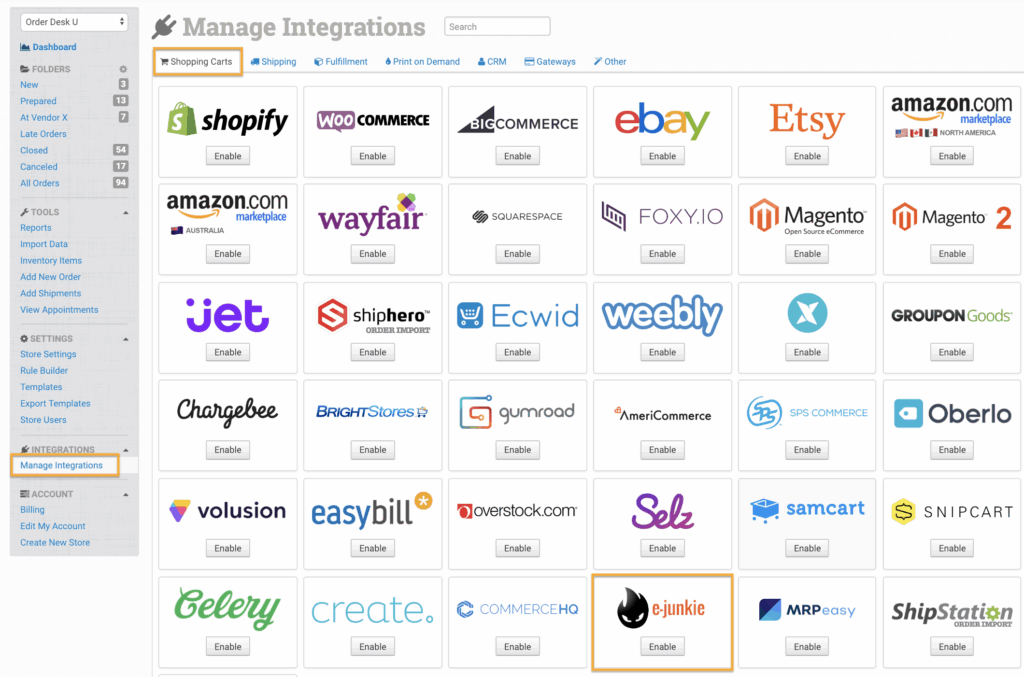
In Order Desk, click on Manage Integrations under the Integrations menu in the left sidebar. Under the Shopping Carts tab, find and enable E-junkie.
Settings
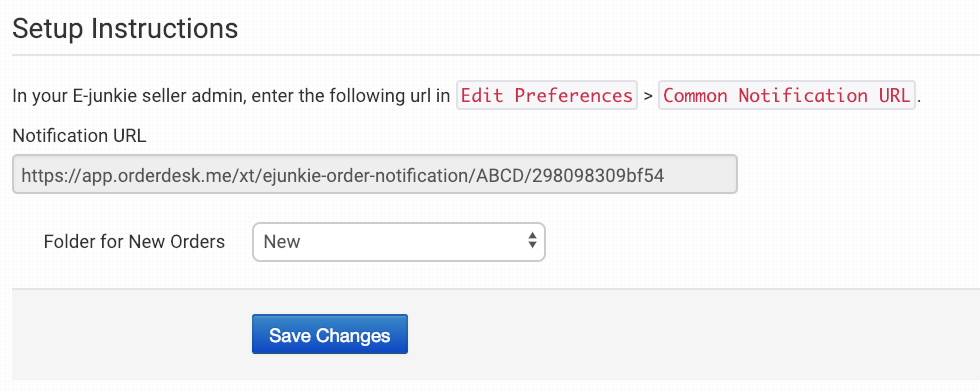
Notification URL
Once enabled, copy the Notification URL and paste it into your E-junkie seller admin in Edit Preferences > Common Notification URL.
Folder for New Orders
Select the folder where newly imported orders from E-junkie should be placed.
For more information, see the Working with Folders guide.