
Order Desk builds integrations to a wide variety of services, apps, suppliers, websites, and tools to help data flow securely between them. While it isn’t necessary to have integrations to use Order Desk, it does make order fulfillment quite a bit easier. If you’re planning to use any integrations, please enable them in your store before beginning this tutorial.
IMPORTANT
Many integrations have an option to download or submit orders automatically. It’s best to leave that setting disabled until you are familiar with Order Desk. You can still download, move and submit orders manually until you are ready to automate your store.
Watch and Learn
For a quick visual explanation of how integrations function on Order Desk, check out the following video:
To connect to an integration, begin by navigating to Manage Integrations under the Integrations section in your store’s sidebar.
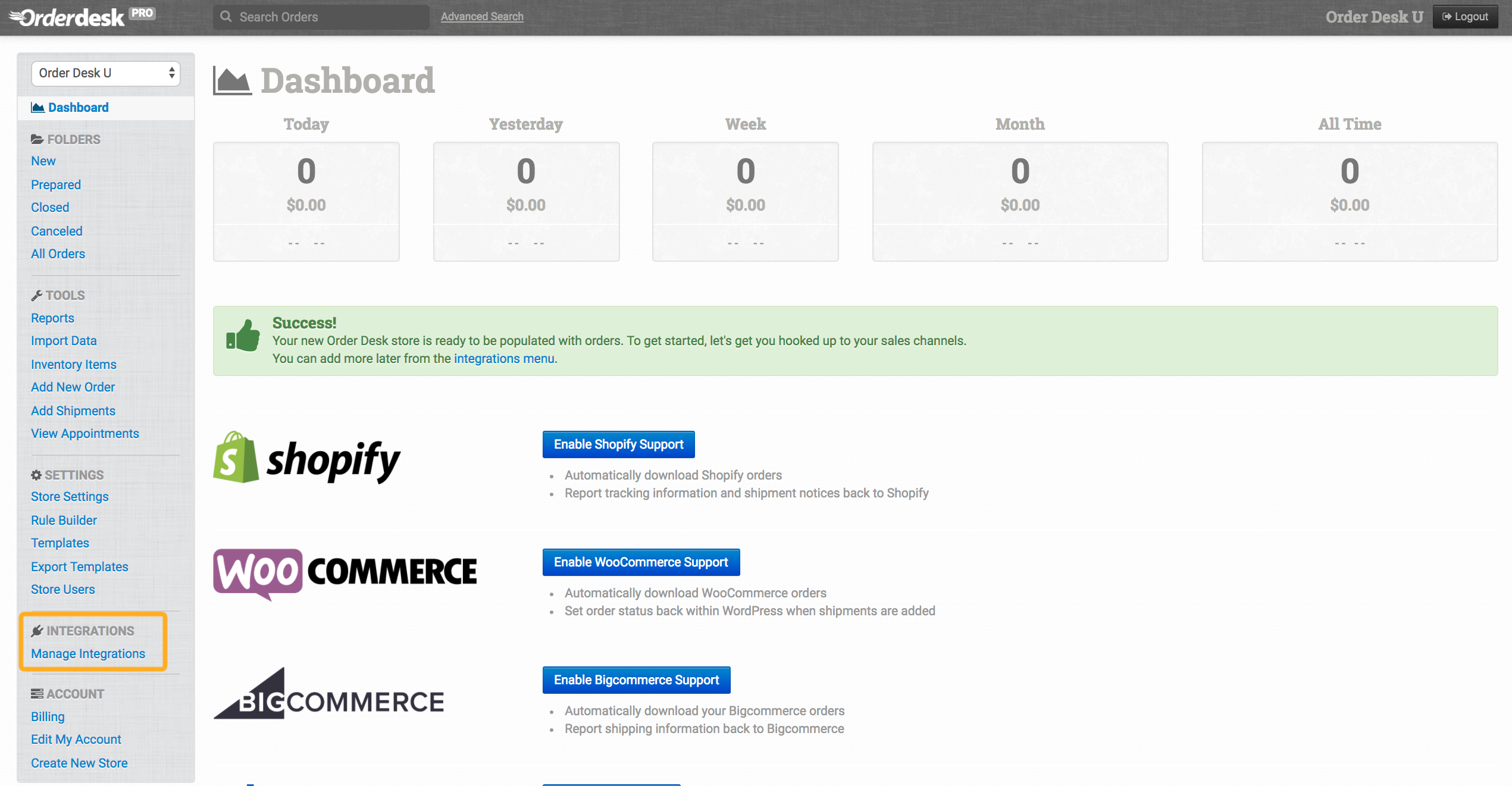
On the Manage Integrations page, select the integration you’d like to enable and follow the on-screen prompts to begin the connection:

Some services support a one-click connection through OAuth, while others will require you to manually add your credentials.
Each connected service requires its own unique connection credentials. If you’re having trouble finding them then you’ll need to contact the service you’re working with directly, as the Order Desk team does not have access to your third-party accounts. Many of our guides also provide suggestions on where to find credentials for popular services we integrate with.
New integrations
We’ve built to hundreds of services already, but that doesn’t mean we’re done! If you’d like to submit a request for us to build a new integration, please fill out this form. A member of our integrations team will follow up with you about it once your request has been reviewed.
While we do keep track of every integration request we receive, we receive far more requests than we could ever realistically build, so we have to take certain considerations into mind when deciding which integrations will be built.
When choosing a new integration to build, we typically ask ourselves the following questions:
- Is this integration technically feasible for our development team to build and support it?
- Will this integration benefit many Order Desk merchants, or only a few?
- Is this an integration that is frequently requested?
I need a private integration. Can you help?
All integrations built by Order Desk are meant to be visible to anyone who needs them. If you need Order Desk to connect to a private service, we invite you to build one of your own using our public API.